I’ve been struggling for a long time with how to quickly navigate to a member in a larger file when I already know its name.
Resharper/Rider has a direct Go to file member shortcut with Alt + \.
Visual Studio 2022 has a Go to member feature, but by default, it’s scoped to the entire solution.
It’s one of those classic Go to… tools with the m: prefix that searches for members but across the whole solution. Worse, it doesn’t prioritize results from the current file 😭. There’s no shortcut or a clear way to pre-scope it to the current file.
HOWEVER!!! There’s one feature I just discovered today that makes it usable (at least for me) – it remembers the last scope, and it does so separately for different use cases. Plus, it shares the same shortcut Alt + \.
So:
You open it once through Go to member (Alt+\), change the scope to Current file, and from then on, it will remember that setting.
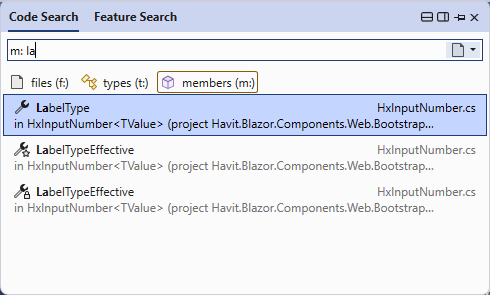
This doesn’t affect other use cases. For Go to all (Ctrl + T) or Go to file (Ctrl + Shift + T), it still remembers the Current solution scope for me.
A real quality of life changer! 🤣🥳
 HAVIT Knowledge Base
Nice blog! Simple yet impactful
LikeLike