Just spent several hours fixing the “No service” cellular issue in my Lenovo T14 AMD Gen 2 with Quectel EM120R-GL. The notebook was able to search for networks (when disabled the automatic network selection), but was not able to connect to internet (Vodafone CZ mobile provider).
It was more and more obvious that the issue is related to the APN profile.
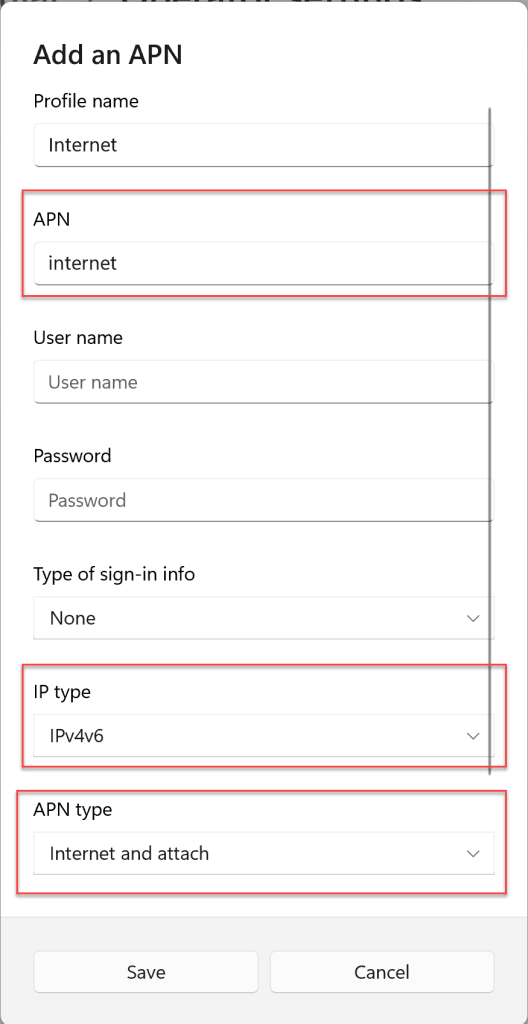
In the end I found the right settings which connected the notebook to mobile internet almost immediately:
 HAVIT Knowledge Base
Thanks a lot, spent only hour on this thanks to you.
Btw Lenovo support, try reinstalling windows.
Vodafone CZ support clueless too.
Seems like it only happens on Quectel EM120R-GL and with Vodafone.
Weird thing is, when I set this APN, it started working.
I’ve turned it off, return the APN setting what Vodafone sents by default (IPv4).
And it still worked.
LikeLike